Build Status Indicator
On the Vercel platform it is currently difficult to see where exactly we are in the deployment process. And if there is a failure, we have to navigate to figure out at which stage it happened. I propose a stateful micro visualization that reveals both in a glanceable but also actionable component.
Problem
On Vercel’s deployment page it is difficult to see the current state of the deployment process. There is an overall time and process indicator, but I feel that’s not detailed enough.
If there is a failure, it’s even more difficult to deal with the UI, because you have to enter the individual deployment page and search for the actual error.
Solution
With the current advanced data visualization as well as large language model capabilities, there should be a way to simplify this and make the current deployment process and past deployment processes more understandable. With the Build Status Indicator component I explored a glanceable, stateful and interactable data visualization where morphing bars express the different states of the deployment process from collecting dependencies to creating the output.
Actually there are four bars that are symbolizing the different deployment stages: dependencies, build, assets and output. These four bars, based on their current status (whether that stage of the process is happening), extend. Associated colors, icons, transitioned objects, and a minimal amount of text further help indicate where we are in the deployment process. These stages stay visible even when a given deployment has finished, making it possible to roll back in time and with a few glances understand how different deployments developed or regressed over time.
I also followed some of the well-established patterns that the Vercel platform already had. For example: the current deployed version is using the same blue color treatment on the Build Status Indicator component as Vercel does on the “Production” chip.
Craft
I used PixiJS to create the component. Every element is transitioned from widths to colors and text size morphing. PixiJS was necessary for the project in order to make the component stay smooth and efficient, even when hundreds of deployment rows are painted on a given UI.
I paid attention to the micro feedbacks that users will likely not notice, but feel. For example, when an error happens, the given errored bar shakes a bit next to the very noticeable color change.
Accessibility
Arrow keys move through the rows. Everything you can press is a real button — replay, error, shuffle, one per stage — so it takes focus and works on Enter. Escape closes an open stage.
Future Work
There are several areas where the Build Status Indicator component could be further extended and used. First, when we are embedding the component into a small row, on clicking, the component could jump out of its context and zoom up a little bit in order to see more details. Additionally tooltips could be attached to the different bars in order to reveal details of a given stage.
Second we could attach a classifier model to the given error list in order to simplify the error into one or two words, and an actionable button that, for instance, could send the query to Cursor or another IDE.
Third, this component could be embedded into other platforms. Let’s say we are handling our build processes on repository management software, we could embed this component into that repository management software in order to reveal more information to the user about a particular Vercel deployment.
Components
Tiny one off components or larger patterns that help clarify design and engineering directions. Or they are just made for fun, because I had too many tokens to burn.
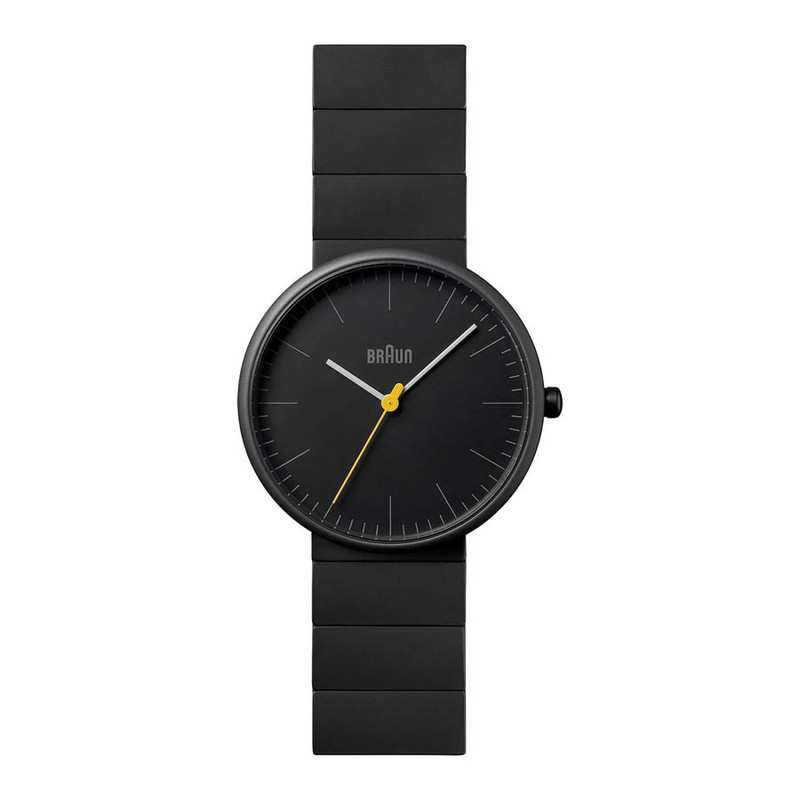
Linear Watch Face
Switch Button
High-Frequency PixiJS Bar Chart
Fluid Number and Gauge







Circular Presence
Inscribed Rectangles in a Circle
Panel Layout System
Split Call Button

Brand Stationery
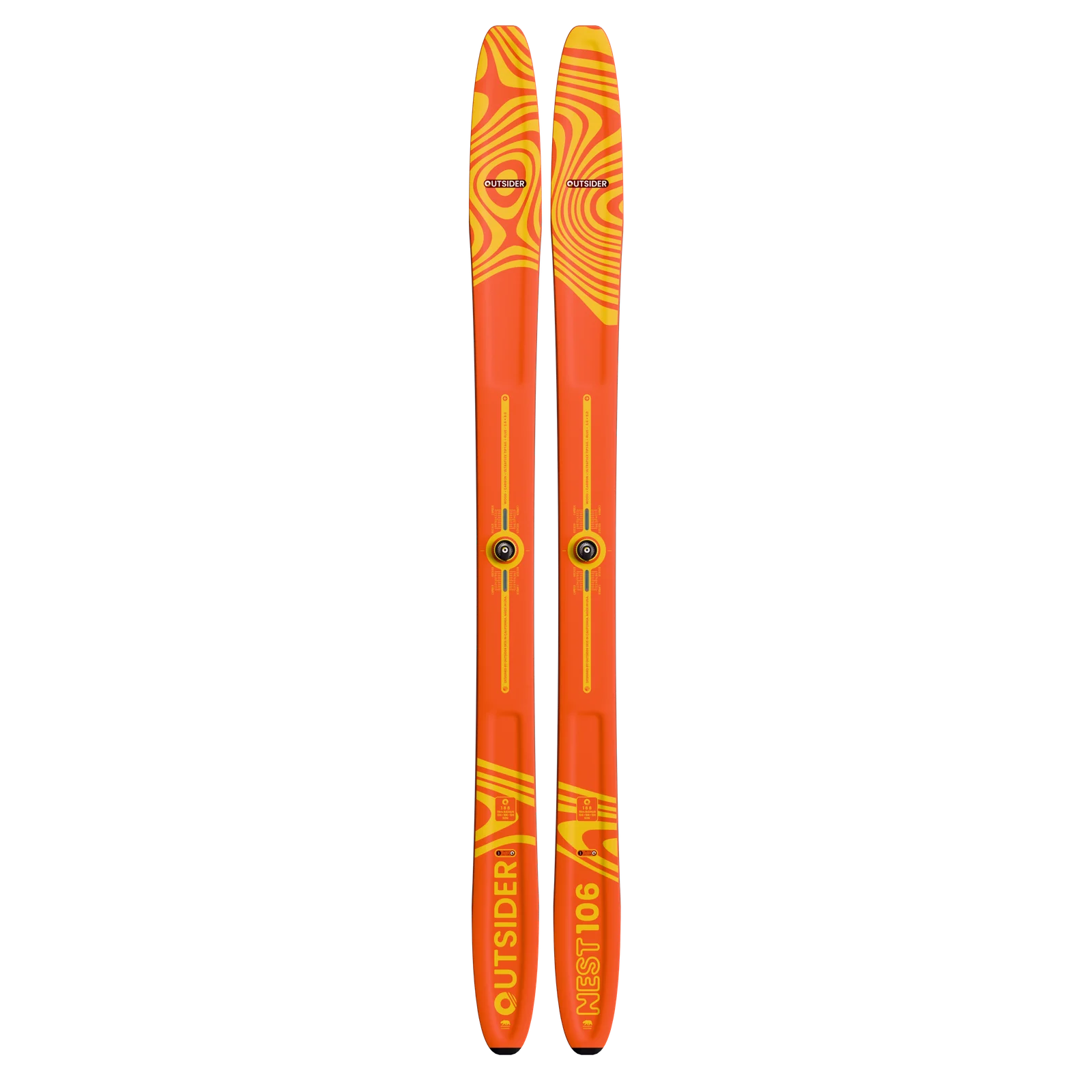
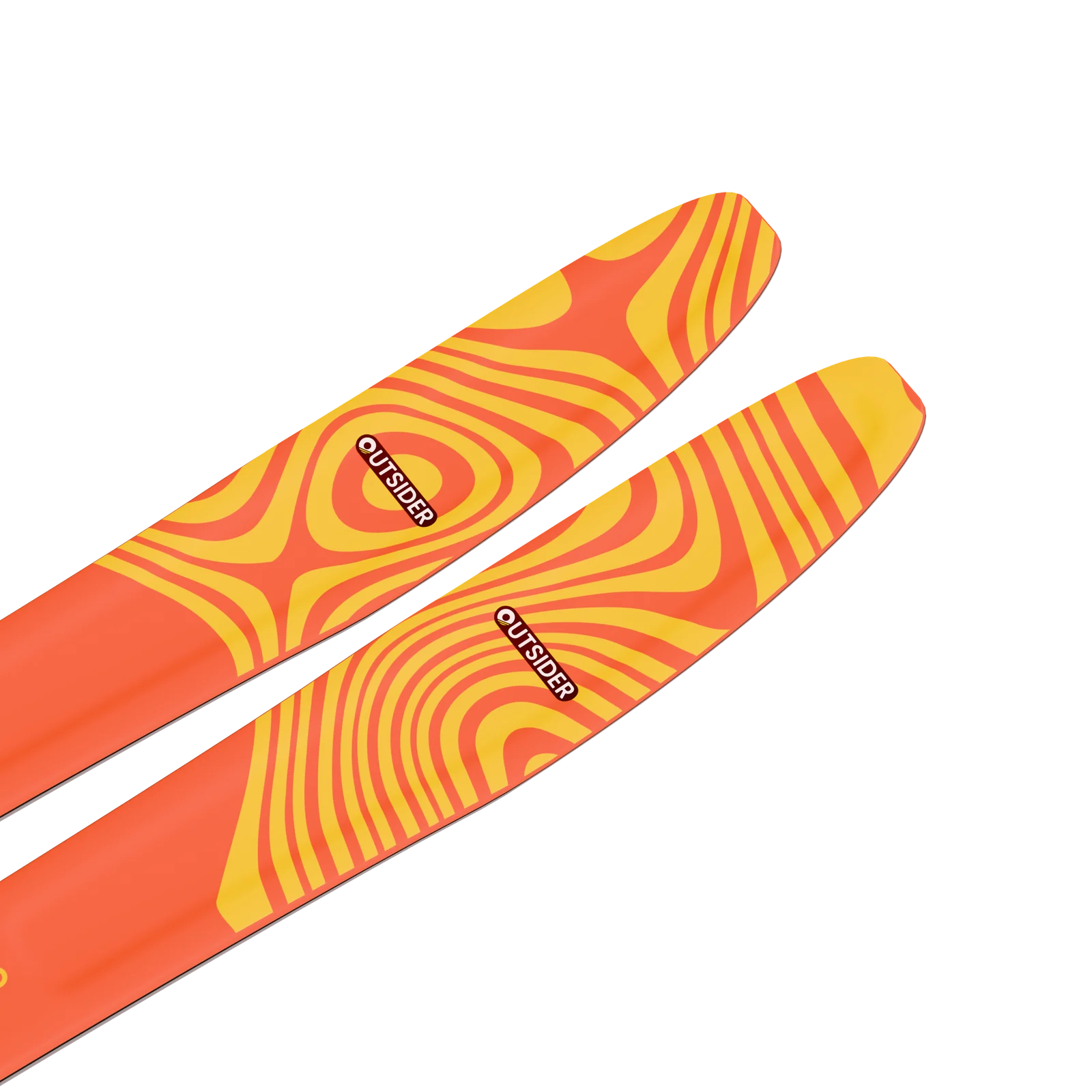
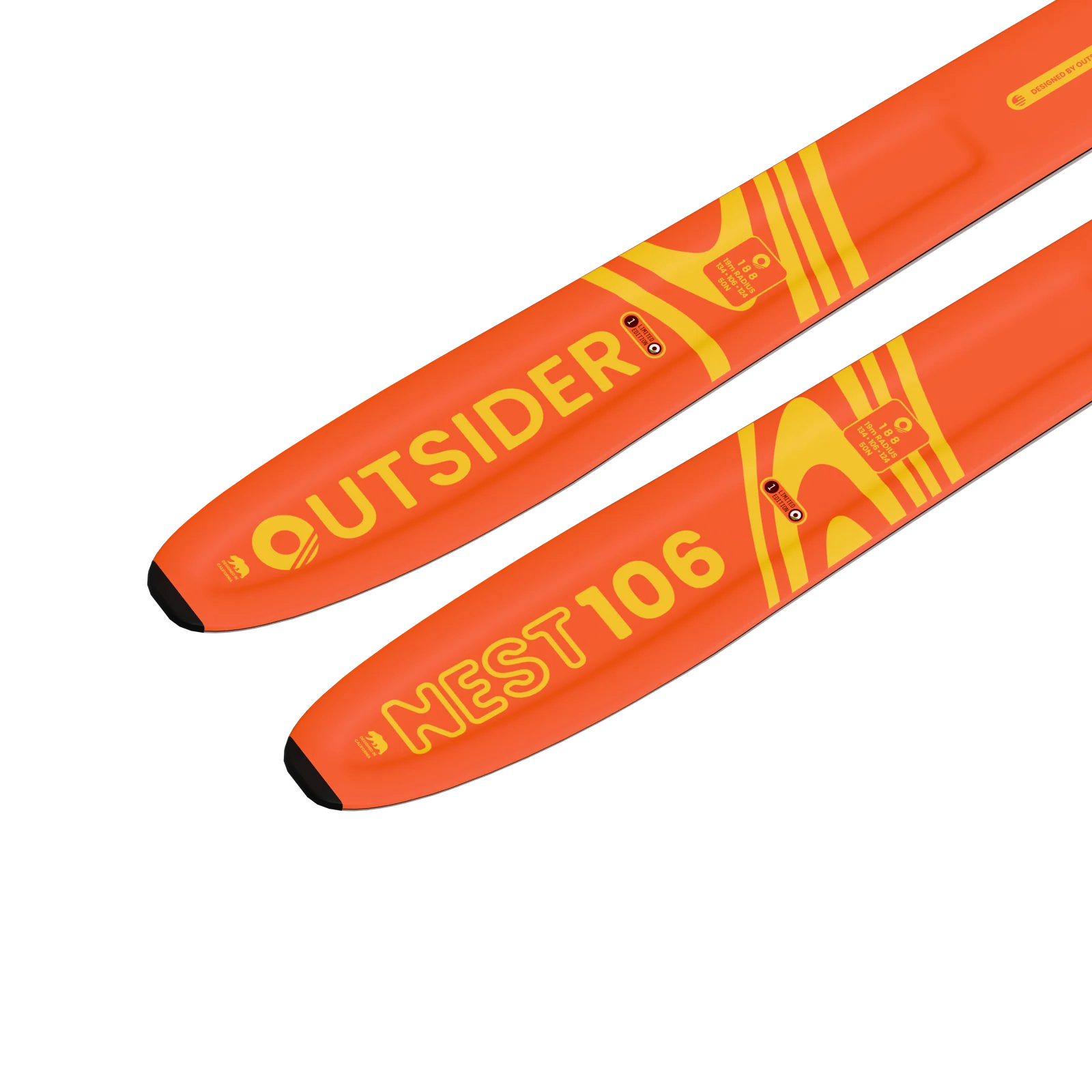
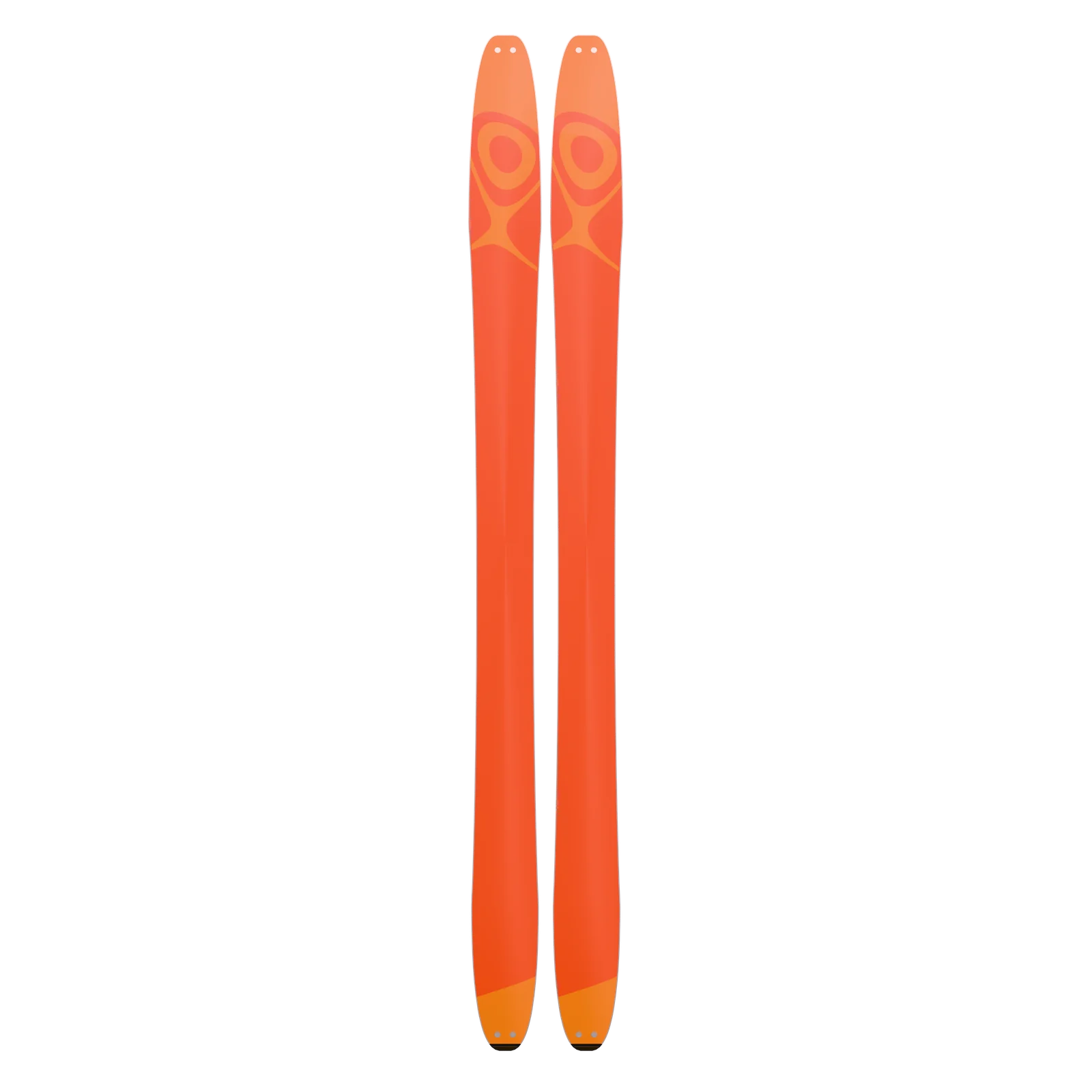
Outsider Skis
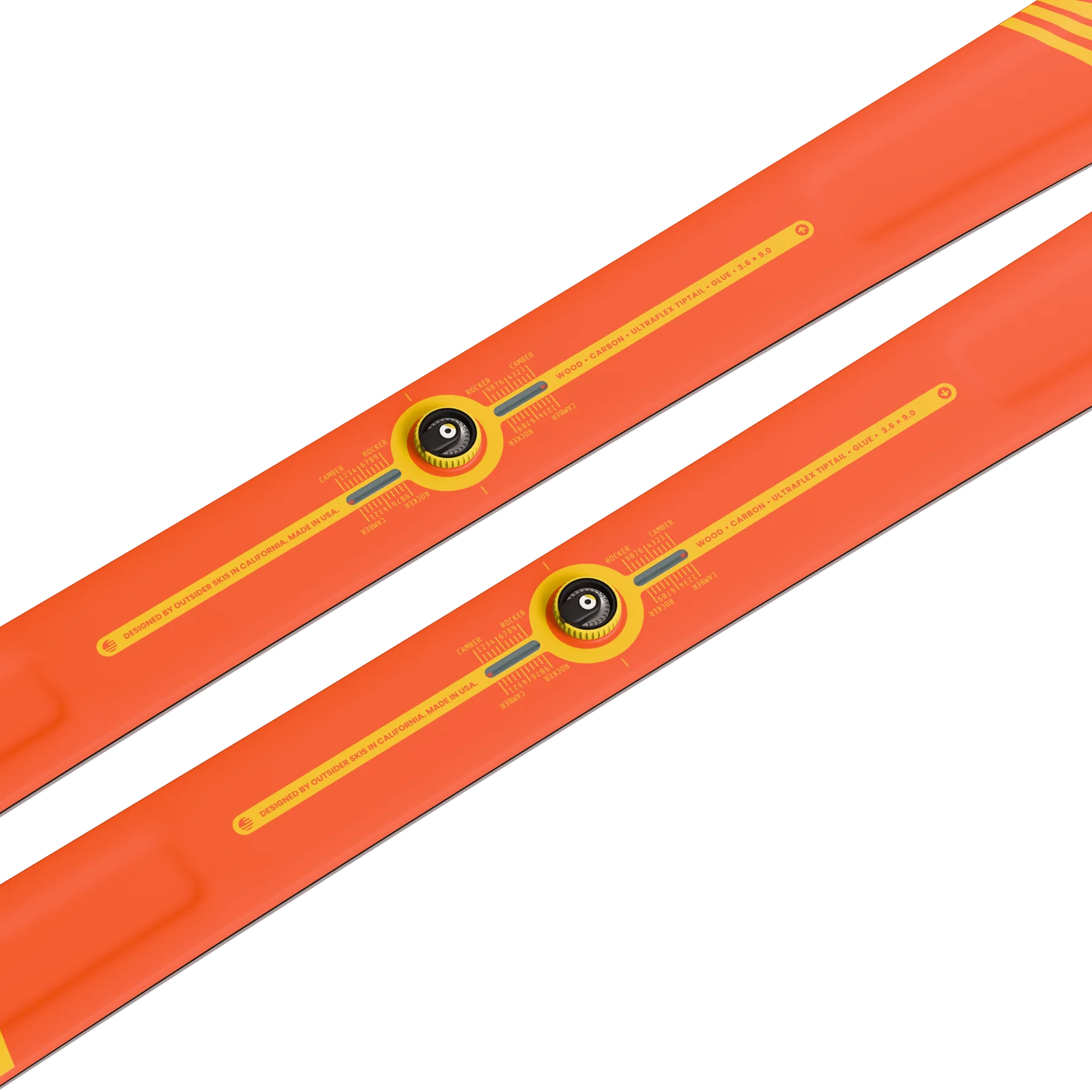
Outsider Skis is a new ski company that I co-founded with a few friends to create sustainable and more functional downhill skis. We are outside of the traditional ski manufacturing world. Our premise is based on a revolutionary technology that allows the the skis to change from camber to rocker.
Linecept
A love story spanning 10 years as of this year. Telling stories through timelines and Fluid Zoomable User Interface.

Guidance is throwing 1202 on the simulated descent. Need a go/no-go rule we can call in seconds: which alarms mean the computer is shedding low-priority work and can keep flying, and which mean abort. Blocked on the sim runs finishing.
Direct ascent needs a booster we won't have in time, and Earth-orbit rendezvous doubles the launches. LOR leaves the heavy stage behind in lunar orbit and lands a craft built only for landing. Recording the reasoning here — it's the choice everything else now depends on.
Launch day. Apollo 11 lifts off at 09:32 EDT.

Walk the abort cases for powered descent, line by line, and agree which alarms we go on and which we don't. Bring the current rules book; anything we change here goes back to the flight controllers the same day.
More in Linecept
- Fluid Zoomable User Interface
- Time Zones
- Embeddable Canvas
- Infinite Zoom Levels
- Nested Projects
- Fisheye Lens View
- Viewer-Set Time Resolution
- High Performance Interactions
- Critical Path Visualization
- Fit to Zoom
- Minimal Page Layout
- Admin Lock
- Picture-in-Picture Mode
- Templates
- Fluid Zoomable User Interface
- Time Zones
- Embeddable Canvas
- Infinite Zoom Levels
- Nested Projects
- Fisheye Lens View
- Viewer-Set Time Resolution
- High Performance Interactions
- Critical Path Visualization
- Fit to Zoom
- Minimal Page Layout
- Admin Lock
- Picture-in-Picture Mode
- Templates
- Fluid Zoomable User Interface
- Time Zones
- Embeddable Canvas
- Infinite Zoom Levels
- Nested Projects
- Fisheye Lens View
- Viewer-Set Time Resolution
- High Performance Interactions
- Critical Path Visualization
- Fit to Zoom
- Minimal Page Layout
- Admin Lock
- Picture-in-Picture Mode
- Templates
- Fluid Zoomable User Interface
- Time Zones
- Embeddable Canvas
- Infinite Zoom Levels
- Nested Projects
- Fisheye Lens View
- Viewer-Set Time Resolution
- High Performance Interactions
- Critical Path Visualization
- Fit to Zoom
- Minimal Page Layout
- Admin Lock
- Picture-in-Picture Mode
- Templates
- AI Semantic Analysis
- Agentic Management Terminal
- Anonymised Authors
- Quantitative Analysis
- Independent Sentiment Index
- AI Health Scoring
- Publish-Time Redaction
- Analytics Dashboard
- AI Onboarding
- Davis, Your AI Assistant
- AI Semantic Analysis
- Agentic Management Terminal
- Anonymised Authors
- Quantitative Analysis
- Independent Sentiment Index
- AI Health Scoring
- Publish-Time Redaction
- Analytics Dashboard
- AI Onboarding
- Davis, Your AI Assistant
- AI Semantic Analysis
- Agentic Management Terminal
- Anonymised Authors
- Quantitative Analysis
- Independent Sentiment Index
- AI Health Scoring
- Publish-Time Redaction
- Analytics Dashboard
- AI Onboarding
- Davis, Your AI Assistant
- AI Semantic Analysis
- Agentic Management Terminal
- Anonymised Authors
- Quantitative Analysis
- Independent Sentiment Index
- AI Health Scoring
- Publish-Time Redaction
- Analytics Dashboard
- AI Onboarding
- Davis, Your AI Assistant
- Ticket Status
- Integrations
- Language Support
- Read-Only Public Links
- Email Comment Sending
- Microsoft Teams
- Saved Presentations
- English
- Progress on Timelines
- Slack
- Instant Link Take-Down
- Ticket Weight
- Microsoft Outlook
- German
- User Tagging
- Public Post Links
- Guided Tours
- Priority Support
- Hungarian
- Email-Based Project Onboarding
- Support Agent
- Ticket Status
- Integrations
- Language Support
- Read-Only Public Links
- Email Comment Sending
- Microsoft Teams
- Saved Presentations
- English
- Progress on Timelines
- Slack
- Instant Link Take-Down
- Ticket Weight
- Microsoft Outlook
- German
- User Tagging
- Public Post Links
- Guided Tours
- Priority Support
- Hungarian
- Email-Based Project Onboarding
- Support Agent
- Ticket Status
- Integrations
- Language Support
- Read-Only Public Links
- Email Comment Sending
- Microsoft Teams
- Saved Presentations
- English
- Progress on Timelines
- Slack
- Instant Link Take-Down
- Ticket Weight
- Microsoft Outlook
- German
- User Tagging
- Public Post Links
- Guided Tours
- Priority Support
- Hungarian
- Email-Based Project Onboarding
- Support Agent
- Ticket Status
- Integrations
- Language Support
- Read-Only Public Links
- Email Comment Sending
- Microsoft Teams
- Saved Presentations
- English
- Progress on Timelines
- Slack
- Instant Link Take-Down
- Ticket Weight
- Microsoft Outlook
- German
- User Tagging
- Public Post Links
- Guided Tours
- Priority Support
- Hungarian
- Email-Based Project Onboarding
- Support Agent
- Templates
- AI Semantic Analysis
- Autoplay Walkthroughs
- Slack
- Critical Path Visualization
- Davis, Your AI Assistant
- Snapshot Versions
- Nested Projects
- Microsoft Teams
- Analytics Dashboard
- Public Post Links
- Presentation Variants
- Fit to Zoom
- Priority Support
- AI Onboarding
- High Performance Interactions
- Templates
- AI Semantic Analysis
- Autoplay Walkthroughs
- Slack
- Critical Path Visualization
- Davis, Your AI Assistant
- Snapshot Versions
- Nested Projects
- Microsoft Teams
- Analytics Dashboard
- Public Post Links
- Presentation Variants
- Fit to Zoom
- Priority Support
- AI Onboarding
- High Performance Interactions
- Templates
- AI Semantic Analysis
- Autoplay Walkthroughs
- Slack
- Critical Path Visualization
- Davis, Your AI Assistant
- Snapshot Versions
- Nested Projects
- Microsoft Teams
- Analytics Dashboard
- Public Post Links
- Presentation Variants
- Fit to Zoom
- Priority Support
- AI Onboarding
- High Performance Interactions
- Templates
- AI Semantic Analysis
- Autoplay Walkthroughs
- Slack
- Critical Path Visualization
- Davis, Your AI Assistant
- Snapshot Versions
- Nested Projects
- Microsoft Teams
- Analytics Dashboard
- Public Post Links
- Presentation Variants
- Fit to Zoom
- Priority Support
- AI Onboarding
- High Performance Interactions
- Posts
- Tickets
- Notices
- Slides
- Ticket Status
- Effort Weight
- Priority
- Assignees
- Delivery Waves
- Deadlines
- Milestones
- Card Tags
- Comment Threads
- Likes
- Attachments
- Tagged People
- Posts
- Tickets
- Notices
- Slides
- Ticket Status
- Effort Weight
- Priority
- Assignees
- Delivery Waves
- Deadlines
- Milestones
- Card Tags
- Comment Threads
- Likes
- Attachments
- Tagged People
- Posts
- Tickets
- Notices
- Slides
- Ticket Status
- Effort Weight
- Priority
- Assignees
- Delivery Waves
- Deadlines
- Milestones
- Card Tags
- Comment Threads
- Likes
- Attachments
- Tagged People
- Posts
- Tickets
- Notices
- Slides
- Ticket Status
- Effort Weight
- Priority
- Assignees
- Delivery Waves
- Deadlines
- Milestones
- Card Tags
- Comment Threads
- Likes
- Attachments
- Tagged People
- Workspaces
- Project Roles
- Member Invitations
- Tagged People
- Activity Trail
- Comment Replies by Email
- Anonymised Authors
- Publish-Time Redaction
- Republish to the Same Link
- Instant Link Take-Down
- Public Project Pages
- Embeddable Canvas
- Workspaces
- Project Roles
- Member Invitations
- Tagged People
- Activity Trail
- Comment Replies by Email
- Anonymised Authors
- Publish-Time Redaction
- Republish to the Same Link
- Instant Link Take-Down
- Public Project Pages
- Embeddable Canvas
- Workspaces
- Project Roles
- Member Invitations
- Tagged People
- Activity Trail
- Comment Replies by Email
- Anonymised Authors
- Publish-Time Redaction
- Republish to the Same Link
- Instant Link Take-Down
- Public Project Pages
- Embeddable Canvas
- Workspaces
- Project Roles
- Member Invitations
- Tagged People
- Activity Trail
- Comment Replies by Email
- Anonymised Authors
- Publish-Time Redaction
- Republish to the Same Link
- Instant Link Take-Down
- Public Project Pages
- Embeddable Canvas
- Start Presentation
- Edit Presentation
- Saved Running Orders
- Peek at the Overview
- Keyboard Stepping
- Published Presentations
- Milestone Verdicts
- Blended Health
- Scoring Weight Ratio
- Health Bands
- Progress on Timelines
- Autoplay Walkthroughs
- Start Presentation
- Edit Presentation
- Saved Running Orders
- Peek at the Overview
- Keyboard Stepping
- Published Presentations
- Milestone Verdicts
- Blended Health
- Scoring Weight Ratio
- Health Bands
- Progress on Timelines
- Autoplay Walkthroughs
- Start Presentation
- Edit Presentation
- Saved Running Orders
- Peek at the Overview
- Keyboard Stepping
- Published Presentations
- Milestone Verdicts
- Blended Health
- Scoring Weight Ratio
- Health Bands
- Progress on Timelines
- Autoplay Walkthroughs
- Start Presentation
- Edit Presentation
- Saved Running Orders
- Peek at the Overview
- Keyboard Stepping
- Published Presentations
- Milestone Verdicts
- Blended Health
- Scoring Weight Ratio
- Health Bands
- Progress on Timelines
- Autoplay Walkthroughs